
Download Bollyflix TV APK File (Latest Version v20.3.0)
Nowadays, big TVs are converted into mini TVs in the shape of Android devices. People carry these mini pocket TV devices in their pockets and access the TV in the palm of their hand using handy applications like the Bollyflix App.
| App Title | Bollyflix TV |
| Live Version | v20.3.0 |
| Category | Sports & Entertaiment |
| Required Android | 5.0 or Above |
| APK File Size | 270.31 MB |
| File Type | .APK |
| Developer | Bollyflix Team |
| Updated | 1 Day Ago |
| Price | Free |
So, do you want to use a pocket TV like this? If yes, you have landed in the perfect place. You can download one of the best Android TV applications, Bollyflix. No doubt you can watch thousands of TV channels from all over the world. You can also enjoy live sports events. You can also enjoy live sports events. Along with this, you can entertain yourself with live sports events. Without any complex process, a stream of events of many types goes live worldwide.
How to Install bollyflix APK: Your Ultimate Guide to Streaming Movies and Shows
Introduction to bollyflix
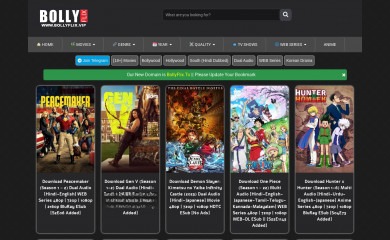
bollyflix is an innovative streaming application that caters to the diverse entertainment needs of Indian audiences. With this app, users can enjoy a wide range of films, including popular Bollywood and Hollywood movies, as well as South Indian cinema featuring Tamil, Telugu, Malayalam, and Kannada films. Whether you are looking for the latest web series, classic TV shows, or regional content, bollyflix offers a comprehensive library that ensures there is something for everyone.
The application features categories for easy content navigation, allowing users to search by genre or type easily. The video playback quality is impressive, ensuring an enjoyable viewing experience across various Android devices, including smartphones and tablets.
How to Download and Install bollyflix APK
Installing the bollyflix APK on your Android device involves a few straightforward steps. Follow this guide for a hassle-free experience:
- Step 1: Download the APK File
To begin, obtain the bollyflix APK file from the official website or a trusted source. Always ensure you check the file name, version, and source to avoid malware. - Step 2: Locate the Downloaded File
Once the download is complete, use your phone’s File Manager to navigate to the Downloads folder and locate the APK file you just downloaded. - Step 3: Enable Unknown App Installation
If your Android device prevents the installation, you need to allow installations from unknown sources. Go to Settings, then Security/Privacy, and select Install Unknown Apps. The path might vary slightly depending on your device model. - Step 4: Install the Application
Tap on the APK file to begin the installation process. Follow the on-screen prompts to complete the setup. - Step 5: Open the App
After installation, tap Open to launch bollyflix. You may need to complete initial setup steps before streaming.
After successfully installing bollyflix, it's advisable to turn off the Install Unknown Apps permission if you do not plan to install more APKs in the future.
Safety Tips Before Installing bollyflix APK
It is essential to prioritize safety while downloading and installing APK files. Here are some important tips:
- Always download APKs from the official website or trusted sources.
- Avoid downloading via unfamiliar ads, pop-ups, or suspicious Telegram links.
- Before installation, verify the APK’s source and version number.
- Consider using a reputable Android Antivirus or Google Play Protect to scan the APK.
- Pay attention to the permissions requested during installation; avoid granting unrelated sensitive permissions.
- Disable the Install Unknown Apps permission post-installation.
- Refrain from installing unidentified MOD APKs or modified versions.
Frequently Asked Questions (FAQ)
Here are some of the most common questions users have regarding the bollyflix APK:
Q1. Is bollyflix APK free to use?
As of now, bollyflix is free to download and use; however, certain features may require a subscription.
Q2. Can I watch Bollywood and South Indian movies on bollyflix?
Yes, bollyflix offers a variety of Bollywood and South Indian movies, ensuring a rich viewing experience.
Q3. Does bollyflix APK work on Android TV?
The application is primarily designed for Android devices; compatibility with Android TV may vary.
Q4. Why is video streaming buffering or lagging?
If you experience buffering, check your internet connection, lower the video quality, and close background applications to improve performance.
Q5. Do I need to create an account to use bollyflix?
Currently, bollyflix may not require an account, but having one could enhance your viewing experience and allow for personalised content recommendations.

Disclaimer
This article serves solely as a reference for downloading and using the bollyflix APK on Android devices. As a third-party streaming application, bollyflix may incorporate content from various sources; copyrights and intellectual property rights of all films and shows remain with their respective owners. Users are advised to comply with local copyright laws and regulations while using the application. Always verify the source of the app and any licensing agreements pertaining to the content provided. This article does not endorse the use of any unauthorized streaming content or copyright infringement.
Copyright:
Bollyflix does not stream any of the channels included in the application, and all streaming links are from 3rd-party websites available freely on the internet. We are just providing a stream, and all content is the copyright of its owner. If you have any complaints, kindly Email Us.